
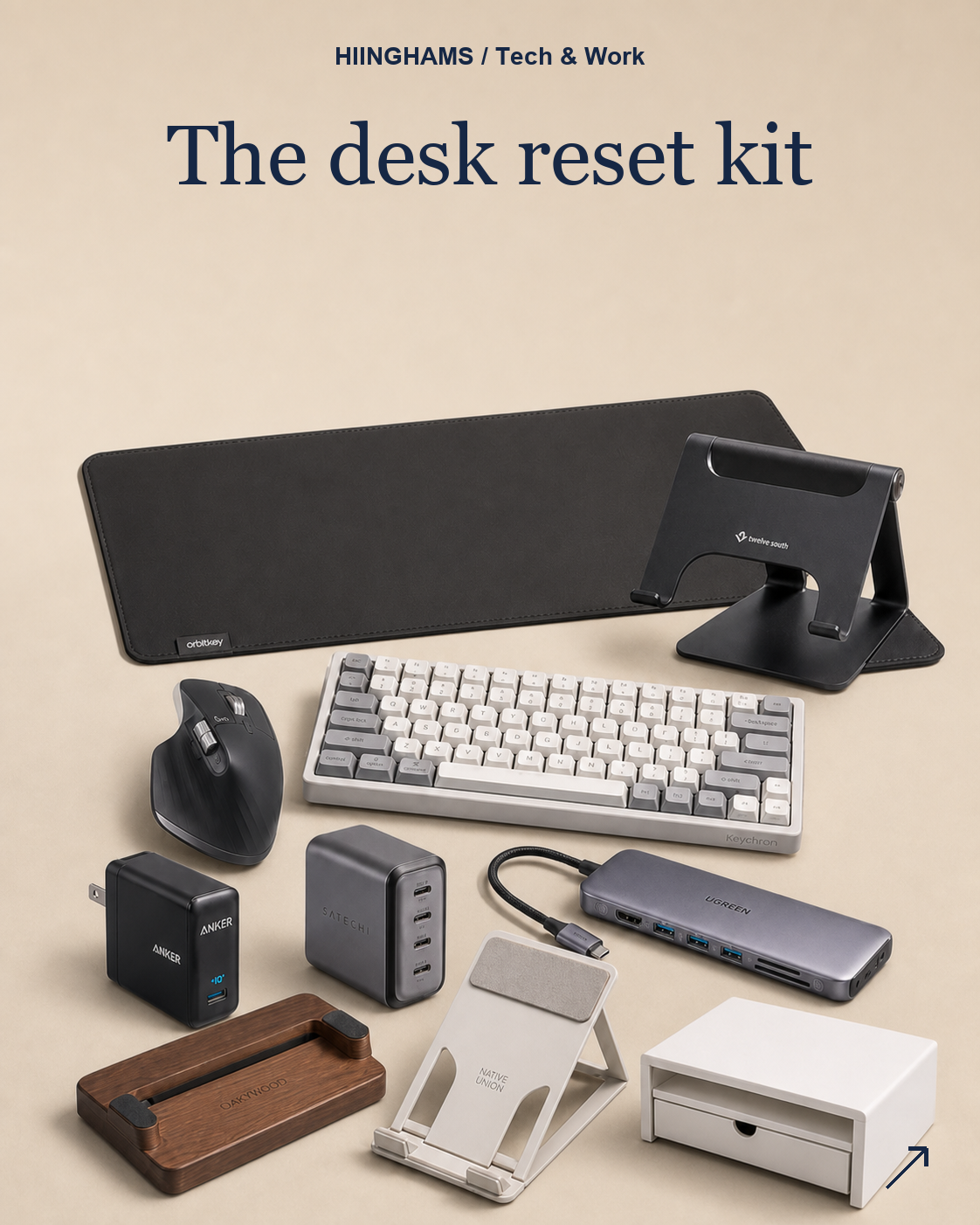
A desk reset is less about buying a full new setup and more about removing friction from the places you touch every day. This edit focuses on the pieces that make a home desk easier to start, tidy and shut down.
This post contains affiliate links. If you buy through them, Hiinghams may earn a commission at no extra cost to you.
The quick take
Best first upgrade: Orbitkey Desk Mat Large
Best ergonomic reset: Twelve South Curve Flex
Best daily control: Logitech MX Master 3S
Best cable tidy: UGREEN Revodok Pro 9-in-1 USB-C Hub
Recommendations
PICK 1
Orbitkey Desk Mat Large
Orbitkey Desk Mat Large
Best for: Creating a clean base layer for the whole desk.
PICK 2
Twelve South Curve Flex
Twelve South Curve Flex
Best for: Raising a laptop into a better working position.
PICK 3
Logitech MX Master 3S
Logitech MX Master 3S
Best for: A more comfortable daily productivity mouse.
PICK 4
Keychron K3 Pro
Keychron K3 Pro
Best for: A compact keyboard with proper typing feel.
PICK 5
Anker Prime 67W GaN Wall Charger
Anker Prime 67W GaN Wall Charger
Best for: Reducing plug clutter while keeping devices charged.
PICK 6
UGREEN Revodok Pro 9-in-1 USB-C Hub
UGREEN Revodok Pro 9-in-1 USB-C Hub
Best for: Tidying laptop ports into one compact dock.
PICK 7
Satechi 165W USB-C 4-Port GaN Charger
Satechi 165W USB-C 4-Port GaN Charger
Best for: Charging several desk devices from one point.
PICK 8
Oakywood Dual Laptop Dock
Oakywood Dual Laptop Dock
Best for: Storing laptop and tablet upright between sessions.
PICK 9
Native Union Fold Laptop Stand
Native Union Fold Laptop Stand
Best for: A portable laptop lift for hybrid working.
PICK 10
IKEA ELLOVEN Monitor Stand with Drawer
IKEA ELLOVEN Monitor Stand with Drawer
Best for: Raising a screen while hiding everyday desk clutter.
How to choose
Start with the part of the desk that slows you down most. If the surface feels messy, begin with a mat and a monitor stand. If the posture is the issue, raise the laptop before buying extra accessories. If cable clutter is the problem, choose one charger and one hub that can stay in place. The strongest reset is the one that makes the desk easier to clear at the end of the day.
A calmer desk should make starting work feel simpler and shutting it down feel cleaner.
The shopping list
10 things, well chosen.

Orbitkey Desk Mat Large
Orbitkey Desk Mat Large Best for: Creating a clean base layer for the whole desk.
View the pick
Twelve South Curve Flex
Twelve South Curve Flex Best for: Raising a laptop into a better working position.
View the pick
Logitech MX Master 3S
Logitech MX Master 3S Best for: A more comfortable daily productivity mouse.
View the pick

Anker Prime 67W GaN Wall Charger
Anker Prime 67W GaN Wall Charger Best for: Reducing plug clutter while keeping devices charged.
View the pick
UGREEN Revodok Pro 9-in-1 USB-C Hub
UGREEN Revodok Pro 9-in-1 USB-C Hub Best for: Tidying laptop ports into one compact dock.
View the pick
Satechi 165W USB-C 4-Port GaN Charger
Satechi 165W USB-C 4-Port GaN Charger Best for: Charging several desk devices from one point.
View the pick
Oakywood Dual Laptop Dock
Oakywood Dual Laptop Dock Best for: Storing laptop and tablet upright between sessions.
View the pick
Native Union Fold Laptop Stand
Native Union Fold Laptop Stand Best for: A portable laptop lift for hybrid working.
View the pick
IKEA ELLOVEN Monitor Stand with Drawer
IKEA ELLOVEN Monitor Stand with Drawer Best for: Raising a screen while hiding everyday desk clutter.
View the pick